
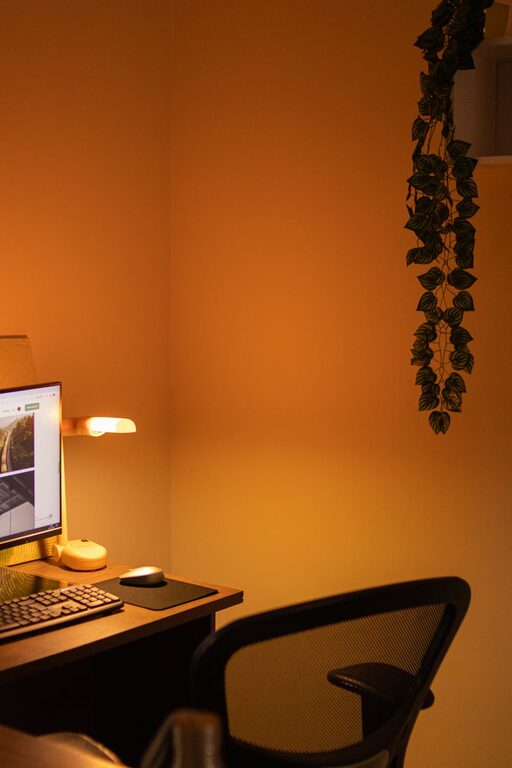
Creating a cozy and inviting home workspace is essential for maintaining focus and comfort while working from home. Whether you spend a few hours or your entire workday in your home office, a well-designed space can improve productivity and make working more enjoyable. In this post, you’ll find practical tips to help you build a workspace that feels both functional and welcoming.
Choose the Right Location
Consider Natural Light
One of the best ways to make your workspace inviting is to set it up near a window. Natural light helps reduce eye strain and can boost your mood throughout the day. If natural light is limited, invest in warm-toned lamps to simulate a cozy glow.
Minimize Distractions
Select a quiet corner or room where you can focus without interruption. If that’s not possible, consider using noise-cancelling headphones or adding soundproofing elements like rugs or curtains.
Invest in Comfortable and Supportive Furniture
Your chair and desk are the foundation of a cozy workspace. An ergonomic chair that supports good posture can prevent discomfort during long hours of work.
Desk Size and Height
Choose a desk that fits your room size and allows enough space for your equipment and movement. Adjustable desks or standing desk converters are excellent for changing positions to stay comfortable.
Add Soft Textiles
Soft cushions or a plush throw on your chair can make it more inviting and comfortable. A small rug under your desk can also add warmth and texture to the space.
Organize with Style
Clutter can disrupt your focus and make even the nicest space feel chaotic. Keep your workspace tidy and inviting with smart organization.
Use Storage Solutions
Incorporate shelves, drawers, or baskets to keep supplies out of sight but easily accessible. Label containers to make finding things easier.
Keep Your Desk Clear
Practice the habit of clearing your desk at the end of each day. Only keep essentials like your computer, notebook, or a favorite pen on the surface to reduce distractions.
Personalize Your Space
Adding personal touches can make your workspace feel welcoming and uniquely yours.
Add Plants
Indoor plants improve air quality and add a splash of nature, making your workspace feel lively and fresh.
Display Inspiring Items
Frame photos, art prints, or motivational quotes that inspire you. Just be sure not to overdo it—balance decor with functional space.
Pay Attention to Lighting
Good lighting is crucial for productivity and atmosphere.
Layer Your Lighting
Use a combination of overhead lights, desk lamps, and natural light to create a warm, flexible lighting environment.
Choose Warm Bulbs
Soft, warm bulbs create a cozy feel that’s easier on the eyes than harsh white light.
Incorporate Calming Colors
Colors influence our mood and productivity. Choose soothing tones to keep your workspace relaxing.
Popular Cozy Colors
Soft blues, light greens, muted earth tones, or gentle pastels work well in home offices.
Use Color in Accents
If you prefer a neutral base, add pops of color with accessories like cushions, stationery, or artwork.
Keep Technology in Check
While tech is essential, it can also add clutter or distractions.
Manage Cords
Use cable clips or sleeves to keep wires tidy and out of the way.
Use Quality Equipment
Invest in reliable tech tools like a good keyboard, mouse, or headphones that make work smoother and more comfortable.
Take Breaks and Create Zones
Lastly, a cozy workspace isn’t just about design—how you use it matters too.
Create a Relaxation Corner
If space allows, set aside a small area with a comfy chair or cushion for short breaks.
Move Around
Stand up, stretch, or take a quick walk regularly to stay refreshed.
—
Designing a cozy and inviting home workspace is about blending comfort, personalization, and practicality. By making thoughtful choices in lighting, furniture, organization, and decor, you can create a space that helps you feel productive and relaxed every day. Whether you work full-time from home or need a quiet spot for occasional tasks, these tips will help you build a workspace you look forward to using.